🎉 Summer Tech Care Month Offer   -- : -- : -- : --  |  Get 20% Off ➡️
Call Louder Logo

Blog

Your blog category

remote video support

Why Video Support is Transforming Customer Service

Have you ever tried explaining something complicated over the phone or through a chat, only to feel like the person on the other end just isn’t getting it? Like, you’re talking, they’re listening, but the confusion is REAL. It’s like trying to explain how to tie a shoe without showing them the laces. Super frustrating, right? Now, imagine if instead of just talking or typing, you could show them exactly what’s going on. And the problem is solved in seconds. That’s the benefit of video support, and it’s completely changing the way we do customer service in 2026. In case you didn’t know, video support is changing customer service in ways that are fast, fun, and way more effective than the old-school methods. Let’s see why video support is the future, and how it’s making life easier for both businesses and customers. Spoiler alert: it’s all about seeing and being seen! The Struggles of Traditional Customer Service Before we start discussing about how helpful video support is, let’s take a quick look at why traditional customer service methods (like phone calls and chat) don’t always solve the problem.  1. Phone Support:  As we all know phone calls have been the go-to for ages. You pick up the phone, talk to an agent, and hope that the problem gets fixed. But, honestly, it doesn’t always work out that way: 2. Text Support:  Chat and email support is a whole different beast. It’s faster than phone calls, but it has its own issues: All of this makes customers frustrated and businesses lose money, which is a total buzzkill. Why Video Support is Changing Customer Service (And Why You’ll Love It) Now that we’ve established that the old methods aren’t always winning, let’s look at why video support is the thing that’s changing the customer service. To better understand how this technology works behind the scenes, you can also read our detailed guide on what is remote support and how does it work, which explains how technicians solve issues remotely in real time. 1. Clear Communication: Show, Don’t Tell Words can be useful, but sometimes they just don’t do the trick. With video support, you don’t have to describe a problem; you can simply show it! Try to explain the reason why your new laptop is not functioning properly. Rather than trying to find the right words to describe the malfunction, you simply point the camera at the laptop, do the trick and voila! Problem solved in an instant. 2. Faster Resolutions: Time Is Money When customers and agents can see the problem right away, issues are solved way faster. Instead of going back and forth, video allows agents to immediately understand what’s wrong and guide the customer through a solution. 3. A More Personal Touch Talking with a bot or being on the phone is okay, but it is not the same as an actual conversation. Video introduces that human element, which helps customers feel that they are speaking with a real person (because they actually are!). It offers a mini face-to-face meeting, without having to leave your couch. 4. Cost-Effective Magic You might be thinking: “But video sounds costly!” Good news! Video support can save businesses money over time. How? Because it will speed up issue resolution, reduce the need to contact multiple agents, and decrease costly onsite visits (so goodbye to expensive technicians).  5. A Way Better Customer Experience Businesses looking to implement this can explore our professional computer support services for fast, reliable, and expert assistance. Consider this: video is more interactive, more engaging, and much less frustrating. Instead of waiting for a reply or explaining your issue 100 times, the customer can get instant clarity and feel as if they were actually listened to. And, video has that little extra bit of “wow-factor” that customers appreciate. Real-Life Scenarios Where Video Support Totally Shines So, you have the concept of video support now. Let’s examine some scenarios where video support really shines. 1. Troubleshooting Problems Picture this: you are facing a frozen laptop screen. You are trying to explain via chat that your laptop isn’t working. But with cam/video support, you could just switch the camera around and show the agent the issue. The agent then guides you through a solution, problem solved! Benefits: 2. Product Onboarding and Demos It can be difficult to learn how to use a new product, but with video businesses can offer customers a personal personal video tutorial on how to use the product and what to do with it!  Benefits: 4. Keeping Premium Customers Happy Video is not only useful for troubleshooting, but it is also a great way to make customers feel special. Premium customers enjoy personalized check-ins, priority updates, and loyalty rewards and video makes it feel more authentic. Benefits: What’s Next for Video Support?  The future of customer service is bright and video support is leading the way. Here’s what’s coming: Wrap-Up: Why You’ll Love Remote Video Support Remote Video support is changing customer service in 2025 by delivering faster, clearer, and much more engaged interactions. Customers get faster resolutions to their inquiries, better experiences, and a stronger relationship with businesses. And for businesses? They save time, money, and develop lasting bonds with satisfied customers. In an era where everyone expects quick solutions, video support is the fast, fun, and efficient way to get things done. Therefore, the next time you need help, do not be shocked if the support team wants to see you on camera. This is just the future knocking at your door! Need fast and reliable support? Get started with Call Louder and experience smarter customer service solutions today. Frequently Asked Questions (FAQs)

Why Video Support is Transforming Customer Service Read More »

best-usb-wifi-adapters-for-gaming

Best USB WiFi Adapters for Gaming and Streaming

Tired of lag spikes or buffering while gaming or streaming? A quality USB WiFi adapter can help tremendously. It allows your PC to get a stronger, faster, and more stable connection, which improves your network speed not only during gaming but also while browsing or streaming videos. The newer gaming WiFi adapter models come with WiFi 6 or even WiFi 6E support. These newer standards provide a better experience in terms of speed and stability. While the older adapters tend to work, they often fall behind in terms of performance when the network is busy. Read on to explore the best USB WiFi adapters for gaming and streaming in 2026. We tested them for speed, range, and stability to help you choose a wireless adapter that meets your requirements, so whether you want lag-free gaming or buffer-free streaming, these top picks will help keep your connection strong. What Should I Look for in a USB WiFi Adapter for Gaming? When choosing a gaming WiFi adapter, one should look for high network speed, low latency, and strong dual-band or tri-band performance. A great adapter should offer WiFi 6 or newer standards, since these offer faster and more stable connections than previous versions. Features like MU-MIMO and beamforming also help keep your signal steady especially for streaming and playing online games. Although cheaper adapters may work, a stronger one will give you a smoother experience. Important Features to Keep in Mind What Is the Best USB WiFi Adapter for Gaming and Streaming in 2026? Below is a quick and simple table to help you pick the best USB WiFi adapter based on speed, price, and use case. This makes it easy to see which gaming WiFi adapter fits your setup. Adapter Name WiFi Standard Speed (Mbps) Best For TP-Link Archer TXE75E WiFi 6E 2400 Pro gaming ASUS USB-AX56 WiFi 6 1800 Gaming & 4K streaming Netgear Nighthawk A8000 WiFi 6E 2400 Multi-device use Linksys WUSB6300 WiFi 5 1200 Budget setup D-Link DWA-X1850 WiFi 6 1800 Smooth streaming 1. TP-Link Archer TXE75E – Best Performance Overall  The Archer TXE75E will be one of the fastest adapters in 2026 with WiFi 6E, ultra-low latency, and USB 3.0 interface. It’s really well-suited for gamers who want speed and a highly reliable ping. Speed tests demonstrated it reaching nearly 2400 Mbps, making it an incredible option for anyone who wants a strong network speed. 2. ASUS USB-AX56 – Best for PC Gamers This adapter is great in terms of dual-band performance with a very compact design and is perfect for PC gamers. It is compatible with 4K streaming, gaming and for daily use. If you need a good gaming wifi adapter that isn’t too big, this is a great small, budget-friendly choice. 3. Netgear Nighthawk A8000 – Premium Speed & Stability The A8000 uses a tri-band setup with beamforming to improve signal strength and stability. It’s ideal for homes with many devices, since it handles busy networks smoothly. Although it’s more expensive, the speed and reliability make it worth it for power users. 4. Linksys WUSB6300 – Budget Pick If you are looking for something simple and inexpensive at the same time, the Linksys WUSB6300 is also a great option. It has WiFi 5, but it provides enough speed for casual gaming and normal everyday streaming. It’s a low-cost upgrade for older Windows PCs that need better WiFi. 5. D-Link DWA-X1850 – Best for Streamers The WiFi 6 adapter provides great upload speeds, low jitter, and stable performance which is important for Twitch and YouTube streaming. It is an excellent option for creators who want smooth, buffer-free broadcasts while not going over the budget. How Do I Choose a WiFi Adapter for Gaming or Streaming? Choose a WiFi adapter according to the speed of your internet, the WiFi version of the router you are using, and the distance from the router to your computer. WiFi 6 and WiFi 6E adapters are better than previous versions as they offer faster and more stable connections. This is best for online gaming and streaming, providing smooth performance with fewer lag spikes or buffering. Step-by-Step Buying Guide How Can I Improve My WiFi Speed for Gaming? If you want faster and smoother WiFi for gaming, try using a USB 3.0 port, position your adapter in a front-facing slot for a cleaner signal, and try to keep the antennas standing upright. Updating your drivers can also make your connection more stable and help improve overall performance. If you’re still having trouble even after trying these tips, it may be time to get expert help. Calllouder’s Wi-Fi and Internet Support can quickly diagnose the issue and get you back to smooth, lag free gaming. Just give us a call. Pro Tips FAQs

Best USB WiFi Adapters for Gaming and Streaming Read More »

how to fix application errors

How to Fix Application Errors Without Reinstalling Software

It’s incredibly frustrating when an app stops working. The first thought that comes to our mind is to just uninstall and reinstall the app, but that’s not always necessary. Reinstalling can be time-consuming and sometimes it doesn’t even solve the underlying problem. With a few software troubleshooting steps, you can often fix app errors and get things running again without starting from scratch.  Why Do Apps Show Errors or Stop Working? Apps can stop working or show errors for several reasons, and most of the time, it’s not the app itself that’s broken. Common causes include corrupted or missing files, outdated drivers, conflicting updates or third-party tools, overloaded cache, and system compatibility issues. In other words, errors typically arise because something in your system isn’t quite right whether it is the files that’s missing, an update that did not install correctly, etc. Generally, cleaning up temporary files, updating software, or checking for conflicts can often fix the problem. Most app errors happen because of corrupted files, missing updates, or software conflicts and not because the app itself is broken. Here are a few steps you can follow: 1. Use Built-in Repair and Reset Options Most apps today have repair or reset features that are specifically intended for these situations. These tools can fix corrupted files or settings without needing to delete the app. For Windows Store Apps: Using this built-in function is usually the easiest and fastest way to fix app errors without having to reinstall software. 2. Repair Corrupted System Files with SFC and DISM It’s not always the app that is the problem; sometimes, Windows system files that the app relies on might be damaged. In this case, using the System File Checker (SFC) and Deployment Image Servicing and Management (DISM) tools can help. SFC: DISM: 3. Keep Software and Drivers Updated Outdated software or drivers can cause apps to crash or behave unexpectedly. Make it a habit to: Keeping everything updated is a simple yet powerful step to fix app error problems and prevent them from happening in the future, too. 4. Scan for Malware Malware has the potential to disrupt applications, causing them to crash or work unexpectedly. If you notice repeated errors, perform a complete system scan using a trusted antivirus or antimalware program. Once removed, malware can immediately restore stability to your software, without you having to perform any reinstall.  5. Check Your Disk for Errors Sometimes, app problems are related to your hard drive or SSD rather than the app itself. Windows has a built-in tool that can check for disk errors and fix them. 6. Check Event Viewer for Clues If you’re still not sure why an app is not working properly, Event Viewer can provide detailed error messages. These messages can give you clues regarding the cause of the issue, which is useful if you need to take more advanced troubleshooting steps. Knowing the cause of the issue often does fix app errors without the need of reinstalling software. 7. Restart the App or Your Computer Sometimes the solution is as simple as restarting your device. Temporary glitches in memory or background software can sometimes stop an app from working properly. Simply close the app completely and then re-open it. If that does not work, try restarting your computer. A fresh start can often resolve errors quickly and easily. 8. Use Professional Software Repair Services Sometimes app errors are tricky to fix on your own. Services like CallLouder can run remote diagnostics and repairs, often fixing issues without needing to reinstall the app. For expert help, check out Software Upgrade & Fixes. Is there a professional way to fix software errors without reinstalling? CallLouder’s service can fix software issues without reinstalling. It works by: Benefits: Get expert help with Software Upgrade & Fixes. Wrapping Up App errors can be a lot annoying, but reinstalling apps should always be the last option. By using built-in repair options, checking system files, keeping software and drivers updated, scanning for malware, checking your disk, and reviewing error logs, you can often fix app error problems quickly and safely. Following these steps is a practical way to do software troubleshooting without losing your settings, preferences, and it doesn’t take a great deal of time. With a little patience and these simple tools, most application issues can be solved without you having to reinstall the software. FAQs

How to Fix Application Errors Without Reinstalling Software Read More »

remote support software

What Is Remote Support Software and How Does It Work?

If you have ever encountered a technical issue while working from home, traveling, or while you were in the middle of a project, you know how frustrating it can be. Tech problems can also be very serious or a major nuisance, such as when you have to wait for a technician to come and fix it. This is exactly where remote support software helps!  This technology helps IT teams solve tech issues quickly and easily from anywhere without needing to be physically present. What Is Remote Support? Remote support allows IT professionals to access and control your device without being in the same physical location. This can be your home, a coffee shop, or any other location; an IT technician can help you fix a problem without needing to be in the same place. This means the IT technician doesn’t have to come to your place, and you don’t have to bring your device in for repair. With remote support, the technician can see exactly what the issue is with your device, and they can fix it right then and there. You won’t have to waste time explaining all the details over the phone, and you won’t have to wait for days to have your issues resolved. At Call Louder, we specialize in remote software support services to help businesses fix issues faster and more efficiently, no matter where their employees are located. How Does Remote Support Work? Remote support involves the use of special software to provide IT professionals with access to your computer. This software enables them to take control of your computer, phone or tablet even when they are miles away. Here’s how it works: What are the Advantages of Remote Support There are plenty of reasons why businesses and individuals are using remote support software. Here are just a few of the biggest benefits: 1. Faster Service Remote support allows a technician to solve issues much more quickly. You don’t have to wait for someone to come to your office or wait for your device to be shipped for repairs; they can fix your problem right away. This way, businesses avoid long downtimes and allow employees to get back to work sooner. 2. Cost-Effective It saves your business money when an IT technician does not have to come to your premises. You save money on travel, accommodation and other expenses that can come with on-site support visits. Plus, remote support often leads to quicker resolutions, meaning less time spent on support calls and fewer delays. 3. 24/7 Availability With remote support, help is always available. Whether you’re working in the middle of the night or across different time zones, technicians can log in and assist you whenever you need them. This makes it easier for businesses with global teams to get support no matter when issues arise. 4. Convenience and Flexibility You don’t have to be in the office to get help. Whether you’re at home, on the go, or working from a different city, remote support makes it possible for IT teams to assist you from anywhere. All you need is an internet connection. 5. Better User Experience End users (like you) love how quickly you can resolve problems when you get remote support. Since the technician can solve the problem without scheduling an in-person visit, users receive faster service and are happier with the experience. To understand how this works in real scenarios, check out our detailed guide on what is remote support and how does it work. What are the Challenges in Remote Support Although remote support has many benefits, there are a few challenges that businesses and technicians need to be aware of: 1. Connectivity Issues Sometimes, poor or unstable internet connections can cause disruptions during remote support sessions. If your internet is slow or cuts out, it may delay the resolution of your problem. 2. Security Concerns Security is a big issue when an IT technician is operating your device remotely. Unless the connection is secure, chances of unauthorized access may exist. This is why you should protect your data with solid encryption and trusted remote access software. 3. User Resistance Some people may be worried about allowing remote access to their devices especially for those unfamiliar with how the process works. However, skilled technicians usually make this process easy to follow and provide clear instructions to help users feel comfortable. 4. Different Devices and Systems Every device is different, and remote support tools must be able to work across various operating systems and hardware types. This can sometimes make troubleshooting more complicated. 5. Scalability It can be challenging to keep track of multiple remote sessions without the right infrastructure in place. This is why it’s important to use the right remote support software to stay organized and efficient. Why Businesses Choose Remote IT Support Remote IT support has become the go-to solution for many businesses. Here’s why: 1. Quick Fixes and Minimized Downtime Remote IT support mitigates downtime; issues can be fixed almost immediately; technicians can fix issues without requiring on-site visits. 2. Cost Savings No travel means fewer costs for the business. Remote technical support cuts down not just on travel costs but can also improve the budget overall. 3. Increased Productivity When the downtime is minimized and issues are fixed immediately, employees will be back to work quickly, which increases productivity for the entire organization. 4. Global Reach If your team is spread across different locations, remote support is a great way to offer 24/7 help no matter where they are.  5. Higher Satisfaction With remote technical support, you can provide quick, seamless support that results in more satisfied employees and end users. The quicker the fix, the more satisfied the users will be. Call Louder’s Remote IT Support Services At Call Louder, we specialize in providing fast, efficient remote IT support to businesses of all sizes. Whether it is needing help with updates, software issues, or device troubleshooting, we are here to support you wherever you are.  With us, you can receive

What Is Remote Support Software and How Does It Work? Read More »

best email recovery software

Best Email Recovery Software for 2026: What to Use When You Lose Important Emails

The effect of losing an important email is very similar to losing your house keys. Although it seems very small, it can be one of the largest annoyances because you don’t realize how much you value something until you actually need it. You may have deleted it accidentally when you didn’t want to or perhaps your inbox glitched after an update. Whatever the case is, recovering a lost email quickly becomes your number one priority and may make you drop everything else you’re doing. The good news is that in 2026, email tools will be much more powerful. They’re easier to use, faster, and smarter at scanning deep inside your mailbox files. So even if you feel like everything is gone forever, there’s quite a good chance you can still get it back. Read on to know some of the best email recovery software available right now, what makes them useful, and when you might need more than software to solve your problem. Why Emails Disappear in the First Place Before getting into the recovery tools, it helps to understand why emails vanish/disappear. It’s usually a mix of small mistakes and technical issues. For example, you may have accidentally deleted an email while cleaning out your inbox. Other times your email app syncs wrong between your phone and laptop, thereby creating missing messages on one device. Software updates can also cause trouble. You install something thinking it will make things better but also end up losing your older email files because a part of your inbox becomes corrupted. And since not everyone backs up their data, recovering those emails becomes a sudden necessity. In short, emails disappear for many reasons. But the good thing is that modern tools exist specifically to recover emails even when they seem totally gone. In many cases, emails go missing due to syncing issues or technical glitches—something you can better understand in our guide on common causes of missing emails in Gmail or Outlook. 1. Stellar Email Recovery Stellar has been around for years, and for good reason. It works with almost every email format whether Outlook, Gmail exports, Office 365, and more. Because of its strong scanning system, it can find deleted or corrupted messages even when the file looks broken. Why Stellar stands out: If you want something reliable and not too complicated, Stellar is a great place to start. 2. EaseUS Data Recovery Wizard EaseUS is one of the most popular tools for recovering data in general, but also has a very surprisingly solid feature for recovering emails. It’s known for being extremely beginner-friendly. So even if you’re not tech-savvy, you can use it without stress. All you really need to do is choose the location where your mailbox is stored, and the software begins scanning. Since it’s quick and lightweight, a lot of people prefer it for everyday recovery tasks. Best for: Anyone who just wants a simple tool that gets the job done without too many steps. 3. Kernel for Outlook PST Repair If you use Outlook daily for work or personal tasks, you know how frustrating it is when a PST file gets corrupted. Kernel is built exactly for this situation. It repairs broken PST files, thereby recovering emails, contacts, attachments, calendar events, and more. Because Outlook depends heavily on PST files, even a tiny corruption can make everything unreadable. That’s why Kernel is helpful it works specifically on these issues without overwhelming the user with technical details. Good for: People whose email problems are specifically Outlook-related. 4. Systools Email Recovery Systools is often praised for its deep scanning abilities. Even if your mailbox file is badly damaged or extremely old, Systools usually manages to pull out something. It works smoothly on both newer and older versions of common email platforms, thus giving you more flexibility. Why people like Systools: If everything else fails, Systools might still surprise you with what it recovers. 5. Wondershare Recoverit Another helpful tool in 2026 is Wondershare Recoverit. It’s not only known for recovering videos or photos but also has a strong email recovery feature. It scans the storage device where your email data is stored and reconstructs lost files. Since Recoverit focuses on the whole device rather than only email apps, it works well if you’re not sure where your email files went. Best for: People who want an all-in-one recovery software. When Software Isn’t Enough Most of the time, these tools work well, however, there are moments when your email is too important or the situation is just too complicated for regular software. For example: In such cases, it is best to turn to specialists who specialize in email restoration since professional services can go deeper than any normal software and often recover data that regular users can’t reach. If you’re dealing with severe data loss or corrupted email files, it’s best to use a professional email recovery service to safely restore your important messages. Tips to Avoid Losing Emails Again Since recovering emails can feel stressful, here are a few habits that help prevent future problems: Small habits like these save you a lot of trouble later. Final Thoughts Losing emails can ruin a whole day but also teaches you how important it is to have good recovery tools. Thankfully, 2026 brings a wide range of smart and reliable options that make the process much easier with tools like Stellar, EaseUS, Kernel, Systools, or any other trusted tool; the chances of getting back your lost messages are higher than ever. And though software usually does the job, remember that professional help is always available if you feel stuck anywhere. The most important thing is not to panic. Email loss happens to almost everyone at some point, but with the right tools and a little patience, you can recover your emails and move on with your day. Need expert help? Get fast and reliable support from Call Louder and recover your important emails without stress. FAQs

Best Email Recovery Software for 2026: What to Use When You Lose Important Emails Read More »

usb data recovery

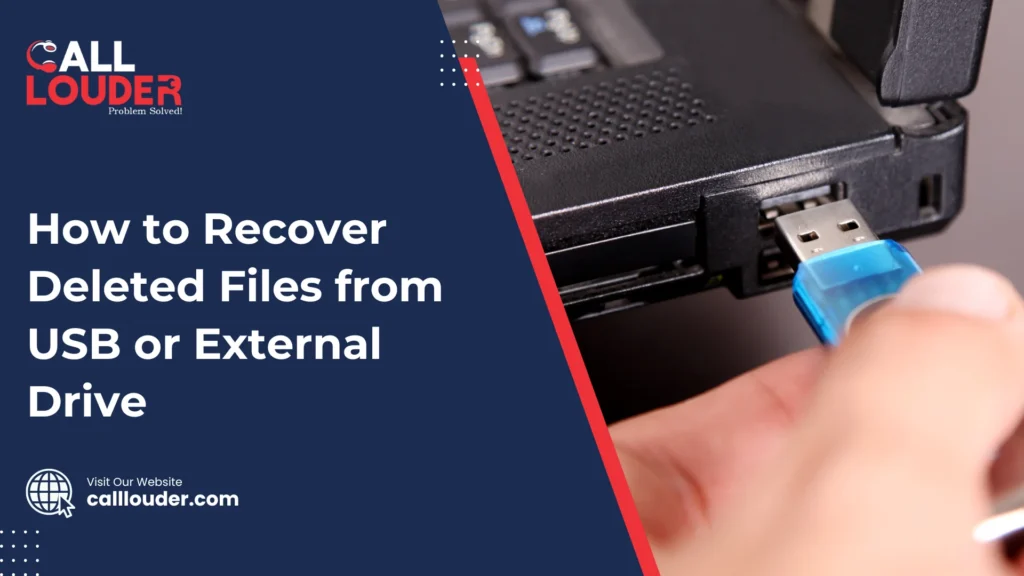
How to Recover Deleted Files from USB or External Drive

It only takes a moment for things to go wrong, one accidental delete, a sudden unplug, or a small corruption issue, and suddenly your USB or external drive looks empty. This is upsetting, but don’t panic; most of the time, deleted files aren’t truly gone. With a few right steps, USB data recovery and external hard drive recovery tools can bring many of those missing files back. Deleted items are often just marked as “gone,” but still sitting on the drive. The key is to act fast. If you continue to use the drive, there is a strong chance that the lost data will be overwritten and it will make recovery even more difficult. Stop using it right away to give yourself the best chance of getting everything back. Why Do Files Get Deleted from USB or External Drives? A USB drive or external hard drive can lose files for many simple reasons. You might accidentally delete something, a virus could remove or hide your files, or the drive can be corrupted. Even a quick format or unplugging without safely ejecting it can easily result in data loss. These types of problems are very common, and they can happen to anyone. Common Causes Is It Possible to Recover Deleted Files from a USB? Absolutely. When you delete a file from a USB drive, that file is not actually gone until new data on the drive replaces it. Therefore, if you react quickly, you can often use recovery software or have a professional recover your files.  How effective USB recovery is depends on several aspects, including how quickly you try to recover the files, whether the drive is physically damaged, and what kind of deletion happened, such as a simple delete versus a full format delete because a simple delete is easier to fix than a full format. Acting fast always gives you the best chance! How Can I Recover Deleted Files from a USB Drive? Using recovery software, checking your backups, or getting help from a professional data recovery service can help restore deleted files from a USB drive. Most people usually try software first due to its ease of use and speed, and it often works well. Step 1 – Stop Using the Drive Immediately As soon as you notice files are missing, don’t save anything new to the USB. New data can overwrite the deleted files and make recovery harder. Step 2 – Use File Recovery Software Step 3 – Check for Backups Look for older copies in Windows File History, OneDrive, or any other cloud backup you use. If you’re on a Mac, check your Time Machine backups for the missing files. Step 4 – Try Command Prompt (Advanced) These commands may bring back hidden or lost files. How Can I Recover Data From an External Hard Drive? You can recover files from an external hard drive by using recovery software that scans for missing partitions, damaged sectors, or deleted files. If the drive isn’t showing up at all, the problem might be deeper, and you may need help from a professional recovery service. Step 1 – Check the Connection Try plugging the drive into a different USB port or using a new cable. If that doesn’t work, connect the drive to another computer to see if it’s detected there. Step 2 – Run a Recovery Tool Use stronger recovery programs like Stellar or R-Studio to do a deep scan of the drive. Once you find your files, save them to a different disk so you don’t overwrite anything important. Step 3 – When Software Fails, Contact a Data Recovery Expert If the drive is physically damaged, or if your computer is unable to detect it at all, there are no software solutions that could help in this situation. So in this case, getting help from a professional is the safest option. Services like CallLouder’s External Drive Recovery specialize in handling damaged drives and recovering files safely. What Should I Not Do After Deleting Files From a USB? After losing files, it’s important to avoid actions that can make the situation worse. Don’t save new files to the USB, don’t format it, and don’t use random or unsafe recovery apps. These can overwrite your deleted data or even damage the drive further. Avoid: When Should I Use a Professional Data Recovery Service? You should turn to a professional when the drive is damaged, not detected, or when recovery software can’t bring your files back. Experts have the tools and clean environments needed to safely recover data from failing drives. Signs You Need Expert Help If you’re facing any of these issues, CallLouder’s USB and External Drive Recovery Team can help recover data securely and efficiently. How Can I Prevent Losing Files From USB Drives? You can avoid most USB and external drive data loss by taking a few simple steps. Making regular backups, removing your drive safely, and keeping your devices protected from viruses can save you from a lot of stress later. Preventive Tips FAQs

How to Recover Deleted Files from USB or External Drive Read More »

slow computer fix

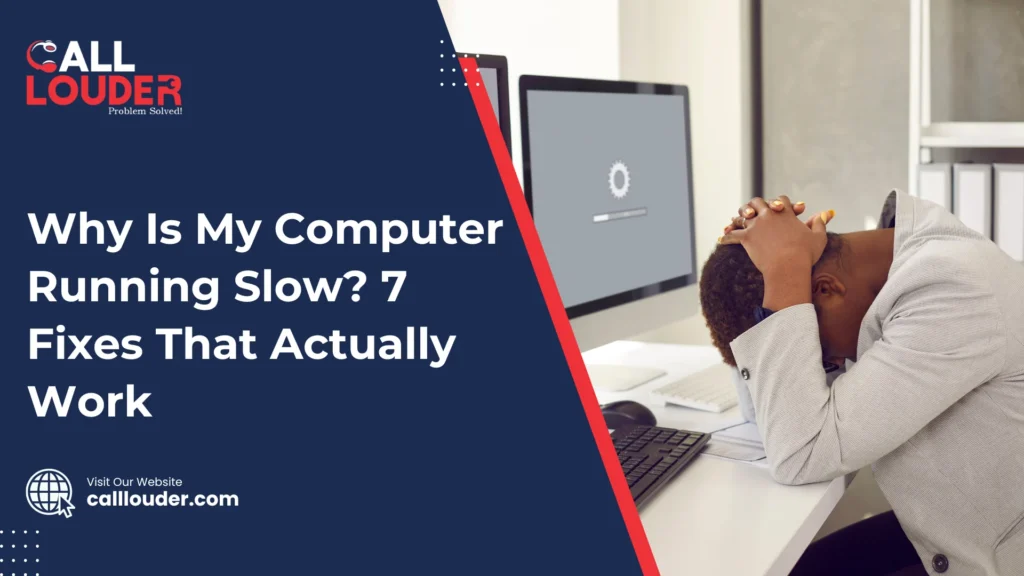
Why Is My Computer Running Slow? 7 Fixes That Actually Work

Does your computer take an eternity to start, or does it freeze during simple tasks? A slow computer can be very frustrating, whether you’re working, browsing or gaming. It wastes time, lowers productivity and can even affect your enjoyment of games or videos. If you want to fix your slow computer, here are 7 proven solutions that work for both Windows and macOS. With the 7 fixes below, you can speed up your PC and avoid unnecessary PC repair, as well as get reliable computer support without stress. Why Is My Computer Running Slow? There are a few common reasons that may have slowed down your computer. Most computers often lag simply due to low memory, too many apps running in the background, outdated software, malware, or a failing hard drive. Regular maintenance and updates can help a lot and improve performance significantly. Common Reasons for a Slow Computer Most of these problems can be fixed with simple steps to get your computer running smoothly again. 7 Fixes That Actually Work for a Slow Computer If your search query includes “How can I fix my slow computer?”, there are a number of options to improve the performance of your device. From cleaning up startup programs to updating software and removing malware, these fixes can all help to speed up your PC. 1. Close Unnecessary Background Programs You can use Task Manager on Windows or Activity Monitor on Mac. Identify the applications that are using a lot of memory and close them. You should also disable any unwanted start up programs to improve efficiency. Tip: The fewer applications that are open and running in the background, the faster the PC will run! 2. Check for Malware or Viruses Run a complete scan of your computer using your antivirus program and get rid of any files or browser add-ons that look suspicious to you. Tools like Windows Defender or Malwarebytes can make this process even quicker and easier. Note: Even just one malware infection can really slow your computer down, so it’s worth checking regularly to keep things running smoothly. 3. Update Your System and Drivers Outdated operating systems or drivers can cause lag as well as compatibility issues. Also, keep graphics and chipset drivers up to date. 4. Free Up Disk Space Delete unwanted temporary files and downloads, and uninstall any applications you don’t use. Make sure to empty your recycle bin (or trash). Windows and Mac have built-in ways to manage your storage; on Windows, you can use Storage Sense, and on Mac, you can use Optimize Storage. Quick Fix: Freeing up anywhere from 10-20 percent of your total disk space can noticeably speed up your computer. 5. Upgrade to SSD or Add More RAM HDDs slow down over time. Upgrading to an SSD can make your PC up to 5x faster. More RAM (8GB+) makes multitasking much easier. Need help setting up new hardware? Reach out to CallLouder’s PC repair experts for professional computer support. 6. Clean Your System Physically Dust buildup can cause overheating and slow performance. Clean fans, vents, and internal parts carefully using compressed air or professional services. A clean PC runs cooler and faster. 7. Reset or Reinstall the Operating System If nothing else works, the last resort is to do a clean OS reinstall can remove deep system issues. Remember to back up your data first, then reinstall Windows or macOS. If your system is still lagging after trying these fixes, you can explore more advanced methods to fix a slow computer when simple cleanup does not work for deeper troubleshooting. Bonus Tips to Keep Your Computer Running Smoothly When to Contact a Professional When should I reach out to a computer support service? Is your PC repeatedly freezing, displaying disk error messages, or overheating? These are signs that you may need to reach out for professional help. Professionals can identify more serious issues, such as hardware failure or operating system issues that are hard to fix on your own. Still having issues with a slow PC? Get a full system checkup from CallLouder’s PC Repair Experts. We fix slow computers, remove malware, and repair hardware to make sure your computer is running at its best. Still struggling with a slow computer? Get fast and reliable help from CallLouder and bring your PC back to peak performance. FAQs

Why Is My Computer Running Slow? 7 Fixes That Actually Work Read More »

old computer fix

How to Keep an Old Computer Running Smoothly With Basic Support Routines

If you have an old computer at home, then you probably know how slow it can get after a few years. Maybe it takes forever to start. Maybe the apps freeze. Maybe the internet crawls. Or maybe everything just feels heavy and tired. So before you think about buying a new computer, you should be aware that there are many simple things you can do to make your old one work better again. With a few basic habits, you can speed up an old computer without spending a lot of money, honestly. Read on to know the everyday steps that anyone can do. You don’t have to be a “computer person.” You don’t need special tools. Just simple routines that help your machine stay clean, smooth, and stable.  Start With a Simple Cleanup One of the biggest reasons an old computer slows down is because it is full of old stuff. Over time, we download files, save photos, install apps, and then forget about them. All of these pile up and take space. Just like a messy room makes it hard to move around, an overloaded PC slows everything down. A quick cleanup can make a huge difference. You can delete: Most computers also have a built-in “disk cleanup” tool. You just click it, let it scan your computer, and remove junk files. It’s an easy way to fix an old computer without any stress. Remove Apps You Don’t Use Think about the apps on your computer. How many of them do you actually use? Maybe just a few. Many old programs sit quietly in the background, taking space and slowing things down. Some even start automatically each time you turn on the computer. It’s a good PC maintenance habit to uninstall programs you don’t need.  Restart Often Instead of Keeping It On All Week A lot of people never turn off their PC. They just close the laptop lid or leave the desktop running day and night. This makes an old system worn out and not very responsive. Restarting your computer clears memory, closes apps that are stuck, and resets tasks that get jammed. No matter how old your Computer may be, make it a habit to restart at least once every few days. This simple habit can really speed up an old computer. If your system is still lagging even after basic steps, you can check our detailed guide on fix a slow computer when simple cleanup does not work for more advanced solutions. Don’t Ignore Software Updates Updates sometimes feel annoying, especially when they pop up while you’re busy. But updates are actually very very important. They fix bugs, improve performance, and keep your computer safe from viruses. When you skip updates for too long, the computer can get slower and start behaving strangely. Turn on automatic updates so your computer takes care of itself. This is one of the easiest forms of computer support you can give your machine. Keep Your Computer Safe From Viruses Old computers are much easier targets for viruses and malware. A small virus can make everything slow, glitchy, or unstable. That’s why having a good antivirus program is important. There is absolutely no need to choose some fancy or expensive software. Even a simple free antivirus can protect your computer if you run regular scans. Most viruses often hide quietly in the background and consume a lot of memory. When you remove the virus, you will experience a noticeable increase in speed. Free Up Space on Your Hard Drive When your hard drive is almost full, the computer has no room to breathe. It becomes slow and unresponsive. Try moving large files, like photos and videos, to: Once you free up space, you’ll notice better performance right away. It’s one of the key steps in everyday pc maintenance. Keep Your Desktop Clean Too A desktop full of random files is just like a messy desk. You may think it’s fine, but it actually makes everything harder. Too many files on the desktop make the system slower because the computer loads every single icon each time it turns on. Try making folders to organize your stuff, or move some items off the desktop. A clean screen feels good and helps your PC run smoothly. Give Your Computer a Quick Dust Cleaning Dust may not seem harmful, but it can cause big problems. When vents and fans are full of dust, your computer gets hot. A hot computer slows down to protect itself, and sometimes it even shuts down. You don’t need special tools. You can gently wipe the outside vents or use a small can of air to blow dust away. Keeping your computer cool is a simple way to speed up an old computer without opening anything or doing anything risky. Don’t Run Too Many Things at Once Older computers can’t handle too many tasks at the same time. When you open too many tabs, apps, or programs, everything becomes slow. Try to keep only what you really need open. Close apps when you’re done with them. You’ll notice immediate improvements. Make Support a Habit, Not a One-Time Fix These steps are not “quick fixes”. They’re simple routines you can do every week or every month. Similar to how you maintain your home or vehicle, your computer needs the same type of regular attention in order to stay healthy and operating efficiently.  For deeper issues, our professional computer support services can help diagnose and fix performance problems quickly and safely. Need Extra Help? We’re Here. Sometimes you do everything right and your computer is still slow or acting strange. That’s totally normal with older machines. If you ever need clear and helpful support, you can take a look at the information available on the Call Louder computer service page. Our team is always happy to help with old computer fix solutions, pc maintenance, and anything else you need. We’ll make sure your computer gets the proper care so that it continues to perform at its maximum potential as

How to Keep an Old Computer Running Smoothly With Basic Support Routines Read More »

computer virus removal

How Viruses Slow Down Your Computer and the Support Steps to Clean Your System

When your computer suddenly starts acting slow for absolutely no clear reason, it can feel quite confusing and stressful at the same time. Maybe apps take too long to open, your browser freezes, or the whole system feels heavy. Many people don’t realize that a slow system virus is one of the most common causes of these problems. And though it may seem like your computer is just getting old, the truth is that even a new computer can slow down if a virus or malware is inside it. Viruses and malware work quietly in the background. They don’t always show clear signs at first. But also, because they keep using your system’s power for their own tasks, your computer becomes slow, unresponsive, and frustrating to use. That’s why computer virus removal is such an important part of keeping your system healthy. A virus doesn’t need to be big or complicated to cause trouble. Even a small piece of harmful software can change how your computer behaves. Since viruses run without your permission, they consume memory, slow down programs, and sometimes even cause crashes. Thus, knowing how they affect your system and how to remove them safely can save you a lot of worry. How Viruses Make Your Computer Slow Viruses slow down your computer for several simple reasons: 1. They run background tasks you don’t seeMany malware programs run quietly in the background. They collect data, display ads, or connect to outside servers. All of this uses your computer’s power, thereby slowing everything else down. 2. They use up your internetSome malware sends or receives data constantly. Because of this, your internet becomes slow even if your connection is normally strong. 3. They change system settingsViruses can alter files and settings that control how your computer works. Since these settings get damaged, the system struggles to work smoothly. 4. They cause apps to freezeA virus may affect certain programs directly, making them crash or freeze often. 5. They overload the processorSome malware takes up so much processing power that even simple tasks feel difficult for your computer. Though these problems are annoying, the good news is that most of them can be fixed with the right malware fix and support steps. Common Signs You Might Have a Virus If your computer is acting strangely, here are signs that may point to a virus: Since these are common symptoms, it’s better not to ignore them. Early action helps protect your files and makes the cleanup process easier. Support Steps to Clean Your System Safely Cleaning a computer doesn’t have to be complicated. You just need to follow simple steps and avoid anything risky. Here are simple, safe things you can do: 1. Restart Your Computer While this might seem easy, but honestly, restarting clears many temporary processes and there are some small malware programs that stop running after a reboot. However, rebooting does not remove large threats, but it’s a good first step. 2. Update Your Antivirus Because new viruses appear every day, updates are very important; thus, keeping your antivirus software up-to-date is critical as well! Update your antivirus first, then run a full scan. A full scan looks deeper than a quick scan and finds more hidden issues. 3. Disconnect From the Internet Many viruses use the internet to spread or download more harmful files. Disconnecting your computer stops these activities, thereby keeping the problem from getting worse. 4. Remove Suspicious Programs Go through your list of installed programs. If you see apps you don’t remember installing, uninstall them. Some viruses come bundled with apps disguised as helpful tools. Removing these programs often cleans half the trouble. 5. Use Malware Removal Tools If you use antivirus software and it doesn’t find anything but your computer is still running slow, try using another trusted malware removal tool. Many times, some tools catch what others miss. The reason for this is that different tools scan in different ways, using more than one increases your chances of a successful malware fix. 6. Clear Your Browser Viruses may be hiding in your browser by adding unwanted extensions or changing search settings. You can resolve many problems associated with browser viruses by deleting unknown extensions, cleaning out your browser’s cookies, and resetting your browser. 7. Check Startup Programs Some malware starts running automatically the moment you turn on your computer. Open your startup settings and disable anything that looks suspicious. This helps your computer start faster and stops harmful programs from running right away. 8. Update Your System Operating system updates help close security holes. Many viruses enter through outdated systems. Since updates patch these weaknesses, keeping your system current protects you from future problems caused by viruses. 9. Back Up Important Files If your computer is working well enough, save your important files to a safe place. This step helps protect your data in case the system becomes unstable later on. 10. Ask for Expert Help When Things Get Worse Sometimes a virus is too strong or too hidden for home tools so if your computer still experiences performance issues even after cleaning and/ or if the virus keeps coming back, it’s better to get professional computer support. Technicians have access to specialised software designed to safely remove threats without harming your files. Final Thoughts If your computer seems slow, cluttered, or unstable, then chances are there are likely some virus problems on your computer. Fortunately, this doesn’t mean you have to live with it; most issues can be resolved with the right steps. Understanding what is going on with your system makes it much easier to clean things up without any difficulty.  If you ever need extra help or want trusted support, you can learn more about the available services by visiting the CallLouder service page FAQs

How Viruses Slow Down Your Computer and the Support Steps to Clean Your System Read More »

missing emails Gmail

6 Common Causes of Missing Emails in Gmail or Outlook and How to Fix Them

Have you ever had the annoying experience of waiting for an email that was very important, only to see that it hadn’t arrived? You probably checked your inbox, got frustrated looking through your spam folder, and then were all over the place when you finally looked in your trash for the missing email. Then imagine how frustrating this would be if that email was from somebody you wanted to hear from regarding a job status update, an order placed with a retailer or a message from a friend. But before you start stressing, you should know that there are some ways to fix them! Missing emails are a lot more common than you might think. There are a bunch of reasons they could’ve gone missing, and most of them are easy to fix. Whether you use Gmail or Outlook, here’s a list of 6 reasons why your emails might be missing and how to get them back. Missing emails are more common than you think, and understanding the common reasons emails get deleted or lost can help you troubleshoot the issue faster. 1. Your Email Got Filtered Into a Different Folder Sometimes, your email might not show up in the main inbox because it was automatically sent to a different folder. Both Gmail and Outlook have tabs and categories that organize your messages for you. This is great for sorting out newsletters, promotions, and social media notifications, but it can also hide emails you’re waiting for. How to Fix It: 2. It’s in Your Spam or Junk Folder Spam filters are usually quite good at catching junk mail, but sometimes they can be a little too overzealous. You might find that an important email gets flagged as spam by accident. It’s annoying, but not the end of the world definitely. How to Fix It: 3. Your Inbox Is Full Yes, your inbox can actually fill up! Both Gmail and Outlook have storage limits, and once you hit that limit, new emails won’t show up until you clear out some space. This is a pretty common reason for missing emails. How to Fix It: 4. You Accidentally Deleted It It happens to the best of us when you hit delete by accident or selected the wrong email to trash. If you didn’t mean to delete it, don’t worry. Most of the time, emails don’t disappear forever right away. They just end up in your trash folder. How to Fix It: 5. You’re Looking at the Wrong Account If you have more than one Gmail or Outlook account, it’s easy to accidentally check the wrong one. Maybe the email is waiting for you in a different account, and you didn’t even realize it. How to Fix It: 6. There’s a Glitch with the Email Server Sometimes, the problem isn’t on your end. Occasionally, both Gmail and Outlook experience temporary server issues that can cause emails to not show up in your inbox. How to Fix It: What If You Still Can’t Find the Email? If you’ve tried all the steps above and still can’t find your email, it might be time to get some expert help. Services like CallLouder Email Recovery specialize in recovering lost or missing emails, especially when there are account-related issues or more complex technical problems. Final Thoughts Before you panic, remember that most of the time, missing emails are a simple fix. Whether it’s a folder mix-up, a spam filter, or an inbox full of old emails, there’s usually a way to find that message you’re looking for. And if all else fails, there are experts who can help you recover it. Still struggling to recover missing emails? Get fast and reliable support from CallLouder and restore your important messages without hassle. FAQs 

6 Common Causes of Missing Emails in Gmail or Outlook and How to Fix Them Read More »

1000+

Happy Clients

4.9+

Average Rating

12Hr

Support

100%

Success Rate

Fill the Form & Unlock Your Benefits!

Buttons Popup

Fill the Form & Unlock Your Benefits!

Buttons Popup