

Every time you download a file, open an attachment, install an app, or browse an unfamiliar website, your computer has some exposure to potential threats. That doesn’t mean treating every click as dangerous, but it does mean basic security habits actually matter.
The best ways to protect your computer from viruses are surprisingly straightforward. Keep your software up-to-date, use reliable security tools, and be cautious about what you open to prevent most virus attacks before they become a problem.
Why Does Your Computer Need Protection from Viruses?
Viruses and malware come into computers in a number of ways – corrupted email attachments, unsafe downloads, malicious websites, compromised applications. Entry points are varied and not always obvious.
The risk goes beyond losing files. Malware can steal your login details, watch what you do, install unwanted software, or make your computer totally unusable.
Basic protection reduces those risks without requiring any particular technical expertise.
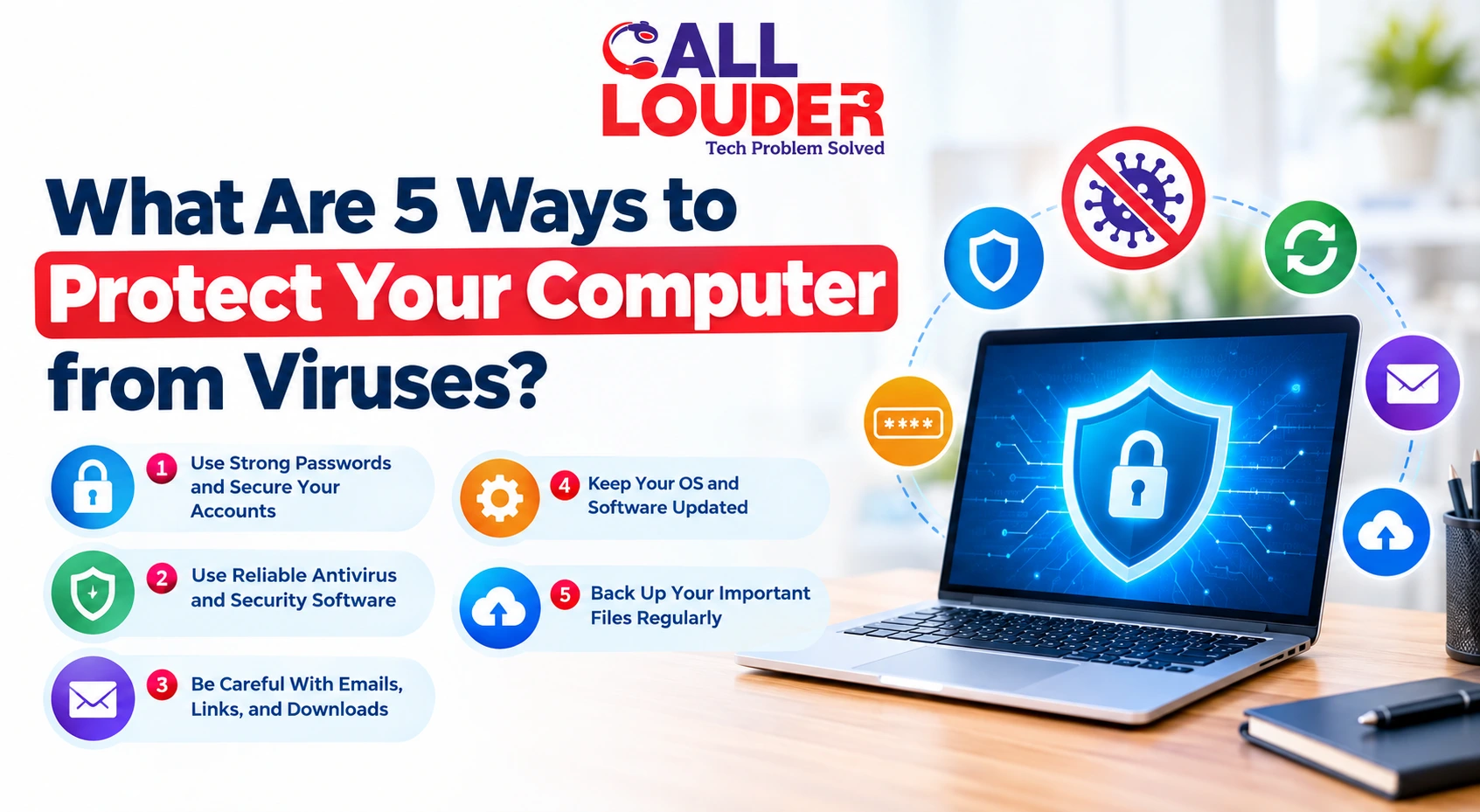
What Are the 5 Best Ways to Protect Your Computer from Viruses?
1. Keep Your Operating System and Software Updated
In addition to including new features, software updates include security patches for vulnerabilities that hackers are searching for to exploit.
Enable automatic updates where possible, especially for the operating system, browser, and security software. Ignoring update notifications for weeks leaves known security weaknesses sitting open. Outdated software gives attackers more to work with, not less.
2. Use Reliable Antivirus and Security Software
A reputable antivirus program catches and blocks many common threats before they cause damage.
Keep real-time protection enabled, and let the software automatically update its threat definitions. Regular full system scans will catch whatever was missed the first time or two around.
If you have a business or multiple devices to monitor, Call Louder’s cybersecurity protection service offers a more comprehensive monitoring and support system than a single antivirus program.
3. Be Careful With Emails, Links, and Downloads
A large part of staying safe comes down to what actually gets opened.
Unexpected attachments, shortened links, fake software update prompts, downloads from unfamiliar websites- these are where a lot of virus attacks begin. Phishing messages are becoming more convincing, often looking just like emails from banks, delivery companies, colleagues, or the services we use regularly.
Check where the link actually leads and whether the message makes sense in context before clicking. If it doesn’t feel right, check a different channel before you take action.
4. Use Strong Passwords and Secure Your Accounts
A virus isn’t the only route into an account. Weak or reused passwords make it easier for attackers to compromise email, cloud storage, and other services without any malware being involved at all.
Use a different, strong password for each important account. A password manager makes this manageable without having to memorize dozens of combinations.
Where available, enable multi-factor authentication. Even if a password is obtained, MFA adds another layer that stops most attacks. These habits help protect your computer from hackers as much as they help prevent virus-related damage.
5. Back Up Your Important Files Regularly
Backups won’t stop malware from getting in, but they make recovery significantly easier if files get damaged or encrypted.
Back up important documents, photos, and other valuable data regularly. For anything critical, more than one backup location is a sensible precaution. Files stored only on the local computer aren’t automatically safe- ransomware affects locally stored files just as readily as anything else.
How Can You Tell If Your Computer May Have a Virus?
Some viruses are hard to notice. Others leave fairly clear signs.
Watch out for:
- Sudden unexplained slowdown
- Repeated crashes and freezing
- Pop-ups that appear unexpectedly
- New programs you don’t recognize
- Web browser redirected to unknown sites
- Unusual security alerts
- Inaccessible files
- Antivirus software being turned off unexpectedly
The occurrence of any single symptom is not proof of a virus. Several unusual changes appearing together are worth taking seriously.
What Should You Do If You Think Your Computer Has a Virus?
Don’t keep using the computer normally if an active virus is suspected.
Disconnect from the internet if necessary- particularly if ransomware or other malware that communicates externally is a possibility. Now:
- Perform a computer scan using a well-known antivirus program.
- Don’t open suspicious documents or links.
- Install all pending security updates.
- Change any sensitive passwords from another computer, in case your credentials were compromised.
- Restore the corrupted files from backups if necessary.
- Consult an expert in case you cannot get rid of the virus yourself.
Don’t download many virus removal programs at once. Some websites offering free security tools are themselves designed to install unwanted software- the exact problem being solved.
When Should You Consider Professional Computer Security Services?
Basic antivirus protection handles a lot. Some situations need more.
Consider professional computer security services if:
- Malware keeps coming back after removal
- Accounts appear to have been compromised
- Ransomware has encrypted important files
- A business computer has been corrupted
- Security software won’t run properly
- There’s genuine uncertainty about whether the system is actually clean
Searching for IT support near me? Look for a provider that handles both immediate malware problems and longer-term security practices, not just a quick scan and a sign-off.
Call Louder’s professional support is also useful for checking system settings, removing persistent threats, improving overall security posture, and getting reliable backups in place.
How Can You Make Virus Protection a Long-Term Habit?
Security measures do not necessarily have to consume your day-to-day activities. Small things can go a long way if you do them regularly:
- Allow automatic updates
- Conduct periodic security scans
- Download software only from trusted sources
- Do not use cracked/modified programs
- Use different passwords with MFA
- Backup Critical Data
- Beware of security warnings
- Get rid of unwanted programs
The truth is, you can never make your computer 100 % safe from all threats. All those steps, along with computer security services, are designed to reduce the chances viruses will target you.
FAQs
What is the best way to protect your computer from viruses?
Maintain updates for your operating system and applications, install reliable antivirus software, do not download anything suspicious or visit dubious links, make sure to use complex passwords and MFA, and keep backup copies.
Does antivirus software protect my computer from viruses fully?
Antivirus software helps in detecting and blocking most threats, but there are always exceptions. Therefore, safe browsing practices are essential along with antivirus software.
How can I tell that my computer has a virus?
Pop-ups appearing suddenly, decreased performance, automatic redirection of the browser, the appearance of suspicious applications, crashes, and inability to access any of your files may indicate that you have been affected by a virus. In such cases, you need to run a security scan.
Is it possible for a professional to remove the virus from my computer?
Yes, Call Louder professionals will scan your device and eliminate any detected persistent threats, fix any associated security issues, and improve protection.