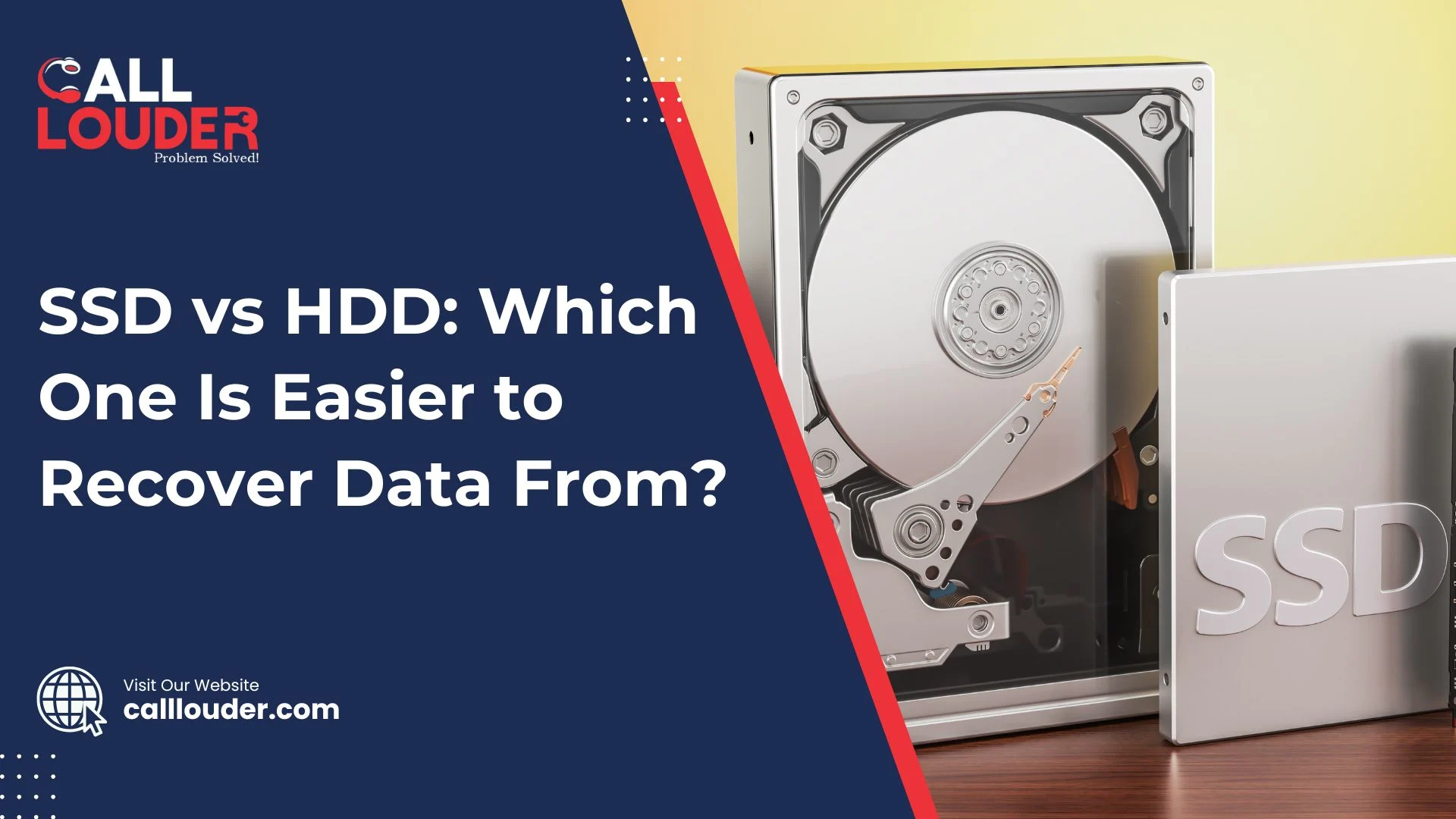
Have you ever questioned why it’s easier to recover files from an old hard drive than a new SSD? The difference lies in how the drives are built. The way that the data is stored affects how easy or difficult it will be to retrieve lost files.
HDDs, or hard drives, use spinning discs for storage. Because of this mechanical setup, deleted files tend to stick around until they are overwritten, which makes recovering files easier.
SSDs use flash memory without any moving parts. Generally, SSDs are faster and more reliable, but their storage system, plus features like TRIM, can make recovering deleted data much harder.
What Is the Difference Between SSD and HDD?
HDDs (hard disk drives) utilize spinning disks and magnetic heads to store data. HDDs are mechanical as opposed to SSDs, and are slower, although recovering lost files from them is usually easier. SSDs use flash memory chips and are much faster and more durable than HDDs, however, the way they store data makes recovery more challenging, especially with features like TRIM.
Quick Comparison Table
| Feature | HDD (Hard Disk Drive) | SSD (Solid State Drive) |
| Storage Type | Magnetic platters | NAND flash chips |
| Speed | Slower | Much faster |
| Moving Parts | Yes | No |
| Data Recovery | Easier | More difficult |
| Durability | Less shock-resistant | Highly durable |
| Data Overwrite Behavior | Gradual | Instant (TRIM-enabled) |
How HDD Data Recovery Works
How is data recovered from an HDD? HDD recovery works by reading the leftover magnetic traces on the spinning disks. Even if the files are deleted, or the drive is otherwise damaged, there are often magnetic traces left behind, making it possible to recover your data.
Common HDD Recovery Scenarios
- Accidental deletion or formatting of files
- Bad sectors or corrupted partitions
- Mechanical problems like clicking sounds or damaged read/write heads
HDD Recovery Techniques
- Software Recovery: Tools like Recuva and EaseUS can help recover lost files
- Hardware-Level Recovery: Repairing or replacing parts inside a cleanroom
- Data Cloning: Making a copy of the damaged drive to recover the data safely
When you “delete” data, it is still on the HDD until it is overwritten, so recovery is typically possible.
How SSD Data Recovery Works
How is data recovered from an SSD?
Recovering data from an SSD is harder than from an HDD. SSDs use flash memory, and features like TRIM automatically erase deleted files, so the data is often gone for good.
Common SSD Data Loss Causes
- Accidentally deleting files
- Firmware corruption
- Power surges or physical damage
- Controller failure
SSD Recovery Methods
- Firmware-level access: Using special software to reach the drive’s firmware
- Chip-off recovery: Extracting the NAND flash chips directly to read data
- Professional lab recovery: Needed for complex cases, often involving encryption
Note: The TRIM command permanently removes deleted data, which makes restoring files very difficult once it’s active.
Why Is SSD Data Recovery So Difficult?
Why is SSD recovery harder than HDD recovery? SSDs have features like TRIM, encryption, and wear-leveling to make them faster and more efficient. But these same features also erase deleted files quickly, making normal software tools almost useless for recovery.
Key Technical Reasons
- TRIM deletes data blocks right after the file is removed.
- Data is spread across multiple chips, so it makes reconstruction harder.
- Controller encryption blocks unauthorized access.
- Limited write cycles mean damaged data can become unreadable faster.
Note: SSDs are faster, but their self-erasing features make getting back files that once deleted extremely difficult.
Professional Data Recovery Solutions
Can professionals recover data from an SSD or HDD? Yes! Expert labs have advanced tools and chip-level methods and/or techniques to recover data from damaged or erased drives.
When to Call Professionals
- If the computer is unable to detect the drive
- After accidentally formatting or a power failure
- If the data is important for work or personal use
If critical files have been lost, you can count on CallLouder’s professionals to recover them. Check out data recovery fixes for expert support.
In complex cases, it’s best to rely on professional data recovery solutions to safely recover important files
How to Protect Data on SSDs and HDDs
How can I prevent data loss from SSDs or HDDs? The easiest way to avoid losing files is to back up your data regularly and keep an eye on your drive’s health. This works for both SSDs and HDDs.
Prevention Tips
- Schedule automatic backups to the cloud or an external drive.
- Use a UPS or surge protector to prevent damage from power spikes.
- Enable SMART monitoring tools to track drive health.
- Avoid writing new data to drives that show errors or are damaged.
To reduce the risk of losing important files, it’s important to follow effective ways to prevent data loss and maintain regular backups.
Conclusion: Choose Performance, But Backup Always
Choosing between an SSD and an HDD depends on what matters most to you. HDDs are easier and more affordable for data recovery because deleted files usually stay on the disk until they are overwritten. SSDs offer faster speed and better durability, but once files are deleted, especially with TRIM active, data recovery becomes much more difficult.
No matter which drive you use, the most reliable way to protect your files is simple: create regular backups and take quick action when data loss happens. When the situation is urgent, professional help can greatly increase your chances of recovering important files.
Need help recovering files from a damaged drive? Get fast, reliable support from CallLouder and restore your data with confidence.
FAQs
SSD data recovery means getting back lost files from a solid-state drive. It’s harder than HDD recovery because SSDs erase deleted files fast, but experts can sometimes recover them.
HDD recovery gets lost files from a hard drive by reading the leftover data on the disks. It’s usually easier than SSD recovery because files stay until they are overwritten.
The main difference between SSD and HDD is that HDDs use spinning disks to store data, while SSDs use flash memory. This makes SSDs faster but harder to recover data from.
You can often get back files from a formatted HDD using recovery software. For SSDs, it’s much harder because of TRIM, and you may need professional help.
Regularly back up your files, use a UPS or power protection, check your drive’s health, and don’t write new data to a damaged drive.